Strength training: log sets, see PRs and know the next weight
Linear progression is simple on paper and easy to lose track of in practice. Repwren applies the rule for you after every session, lift by lift.
How fitness teams use Repwren
- Enter your program: for example squat 3 x 5, bench 3 x 5, row 3 x 5, press 3 x 5, deadlift 1 x 5.
- Set each lift's increment (smaller for presses).
- Log every set with reps and weight.
- Before training, read Next time on the Program tab; after a few weeks, check weekly volume by muscle group.
In the example program, bench press hit 3 of 3 sets at 82.5 kg, so the next session moves to 85 kg; back squat hit 2 of 3 at 100 kg, so it repeats 100.
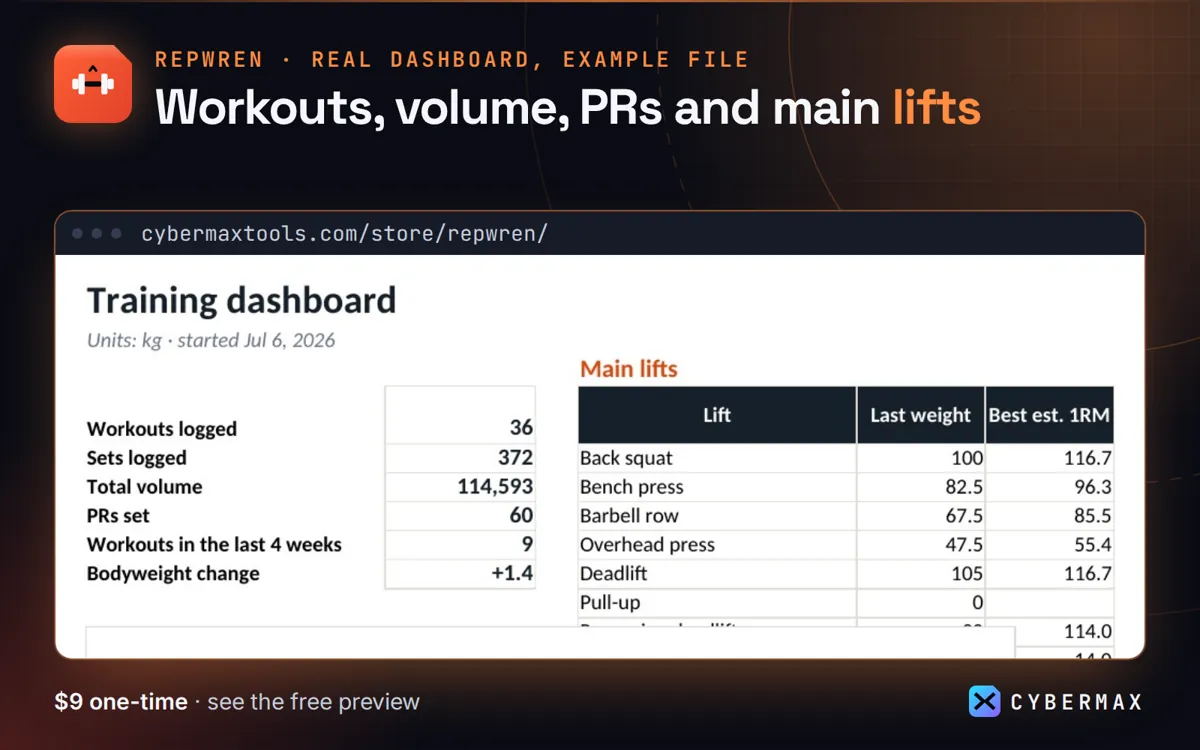
Example file: 12 weeks of a made-up 3-day program, Program tab
| Lift | Last weight | Sets hit | Next time |
|---|---|---|---|
| Back squat | 100 kg | 2 / 3 | Repeat 100 |
| Bench press | 82.5 kg | 3 / 3 | Add 2.5 → 85 |
| Barbell row | 67.5 kg | 2 / 3 | Repeat 67.5 |
| Overhead press | 47.5 kg | 3 / 3 | Add 2.5 → 50 |
| Deadlift | 105 kg | 0 / 1 | Repeat 105 |
Source: The made-up 12-week, 3-day program in the Repwren example file, Program tab (built by products/repwren/src/workbook.py; rows in products/repwren/store/listing.json).
FAQ
Can I use it for a coach's clients?
No: the licence is for your own training. Each lifter needs their own copy.
Why not a notebook?
A notebook doesn't flag PRs, estimate 1RM or total weekly volume per muscle; the sheet does it as you log.
Repwren: full guide with prices and alternatives · All use cases · Store