Simple books for a small shop: ledger, P&L and receipts checked
A small shop needs to know its monthly profit and to have receipts in order. Ledgerfern keeps one ledger with a receipt-saved column and checks, and turns it into a month-by-month P&L.
How retail teams use Ledgerfern
- Edit the 30 income and 30 expense categories on Settings to match how you sell and buy (stock, rent, fees).
- Enter daily or weekly sales totals and each expense on the Ledger, ticking Receipt saved.
- Fix anything the checks flag (unknown category, missing receipt) before month end.
- Read the P&L tab for margin by month and send the CSV to your accountant at year end.
If you also sell online across several channels and want profit per order after platform fees, see Marginmoor; Ledgerfern is the general ledger and P&L.
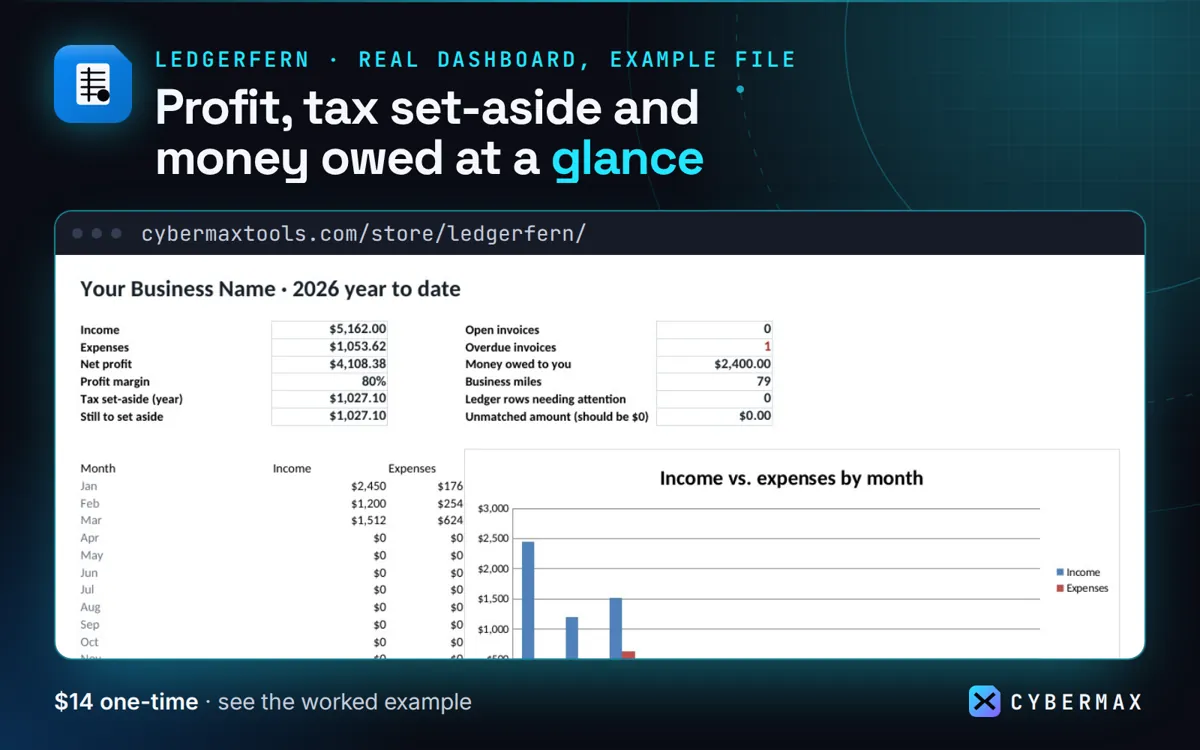
Example file, first quarter (Jan-Mar 2026): P&L summary
| Line | Q1 | Year to date |
|---|---|---|
| Income | $5,162 | $5,162 |
| Expenses + mileage | $1,054 | $1,054 |
| Net profit | $4,108 | $4,108 |
| Set aside (25%) | $1,027 | $1,027 |
Source: The made-up example business in the Ledgerfern example file, P&L and Taxes tabs (built by products/ledgerfern/src/workbook.py; rows in products/ledgerfern/store/listing.json).
FAQ
Does it track inventory?
No. It records stock purchases as expenses; it does not count units on hand.
Why not a point-of-sale system's reports?
POS reports show sales; Ledgerfern combines sales with every cost, so you see profit and what to set aside for tax.
Ledgerfern: full guide with prices and alternatives · All use cases · Store