Find the words shoppers type on Amazon and Google for your product
Shoppers type features, sizes and comparisons into the search box before they buy. Keyfern collects those phrases from Amazon and Google autocomplete (plus YouTube and Bing), so your title, bullets and ad keywords use the same words.
How e-commerce teams use Keyfern
- Enter the product type as the seed (for example "standing desk") with Amazon and Google selected.
- Sort by score; phrases suggested by several engines come first.
- Use transactional phrases in titles and ads, feature phrases (with drawers, converter) in bullets.
- Turn on the Trends verdict for the top ideas to spot rising features.
In the sample run, "standing desk with drawers" was suggested by four engines and its Google Trends verdict was rising +111%.
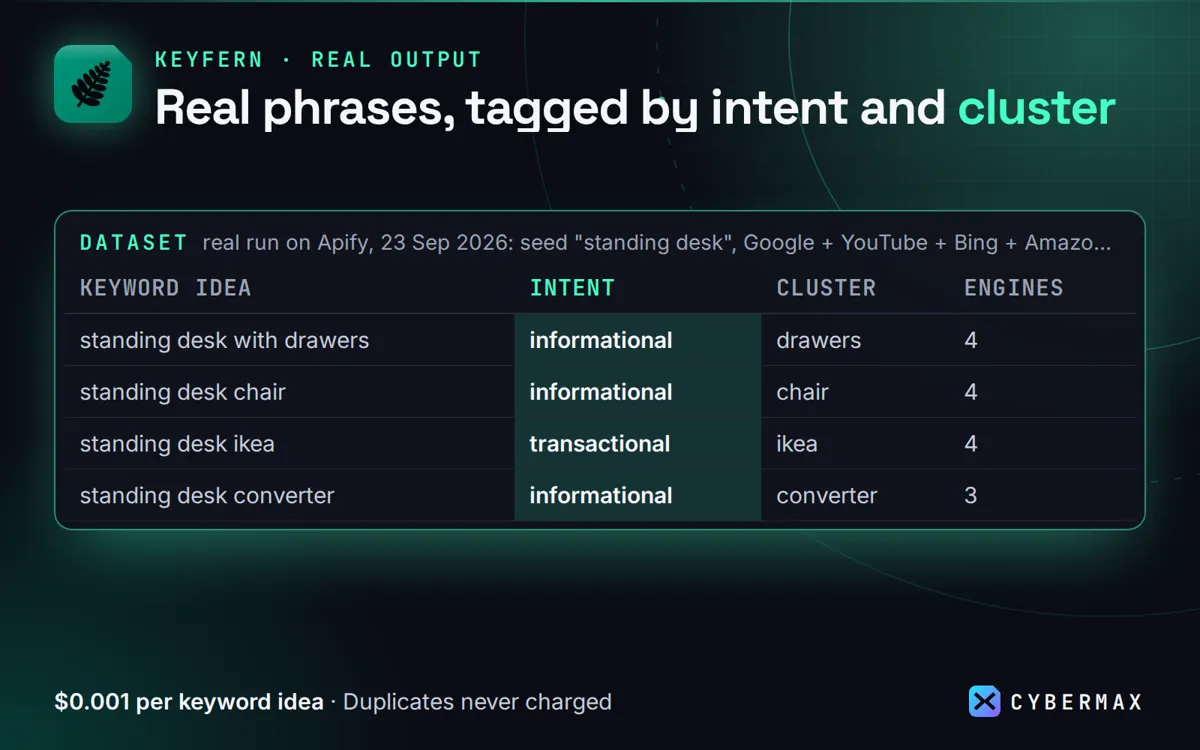
Real run on Apify, 23 Sep 2026: seed "standing desk", Google + YouTube + Bing + Amazon, US
| Keyword idea | Intent | Cluster | Engines | Score | Google Trends |
|---|---|---|---|---|---|
| standing desk with drawers | informational | drawers | 4 | 100 | rising +111% |
| standing desk chair | informational | chair | 4 | 100 | rising +74% |
| standing desk ikea | transactional | ikea | 4 | 100 | stable +13.5% |
| standing desk converter | informational | converter | 3 | 90 | – |
| standing desk and walking pad | informational | walking | 4 | 90 | – |
Source: products/keyword-ideas/store/listing.json (real run of Keyfern on Apify, 23 Sep 2026).
FAQ
Does it include Amazon search volume?
No; autocomplete shows what people type, not how many. Use it to find phrases, then size them elsewhere.
Can I track new phrases over time?
Yes: monitor mode returns and charges only ideas you haven't received before.
Keyfern: full guide with prices and alternatives · All use cases · Store