Balance an indie RPG or idle game economy before launch
Most economy problems show up as "I hit a wall at level 30" or "gold is worthless by day 5". Grindscale shows both before players do: the 60-day simulator tracks a typical player's level and wallet each day.
How games teams use Grindscale
- Load the preset closest to your game (classic RPG, mobile casual, long-haul RPG or roguelite meta).
- Enter your real XP rewards and gold faucets and sinks; watch the wallet and inflation warnings on the Economy sheet.
- Set shop prices from "hours of saving" at each item's unlock level.
- Add loot tables with pity and check tries for 90% on the Drops sheet.
- Export per-level CSV/JSON and load it with the included engine loader.
The workbook is a design aid, not analytics: once you have players, compare the simulator with real data and adjust.
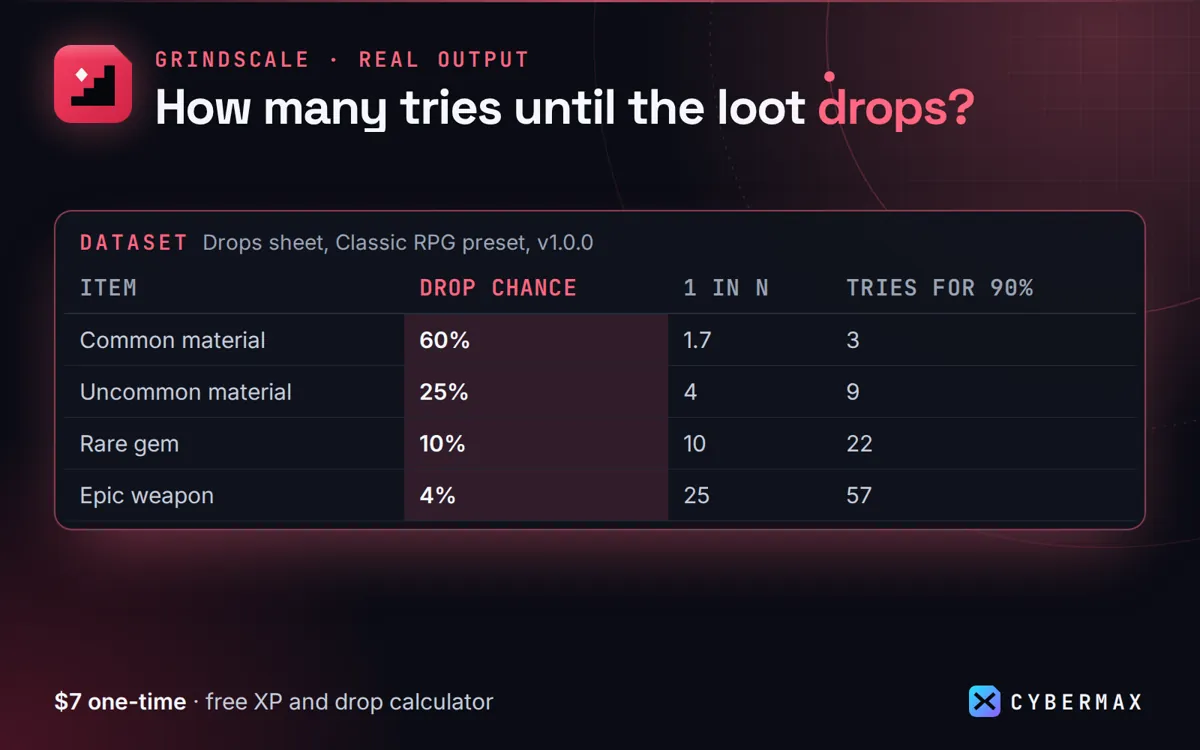
Drops sheet, Classic RPG preset (Grindscale 1.0.0)
| Item | Drop chance | 1 in N | Tries for 90% | Pity at | Avg tries |
|---|---|---|---|---|---|
| Common material | 60% | 1.7 | 3 | none | 1.7 |
| Uncommon material | 25% | 4 | 9 | none | 4.0 |
| Rare gem | 10% | 10 | 22 | none | 10.0 |
| Epic weapon | 4% | 25 | 57 | 60 | 22.8 |
| Legendary mount | 1% | 100 | 230 | 200 | 86.6 |
Source: The Drops sheet of the Grindscale 1.0.0 workbook with the Classic RPG preset loaded, as published on the Grindscale store page.
FAQ
Can I ship the exported numbers in a commercial game?
Yes. The licence says the data you make with Grindscale belongs to you and may ship in any product.
Which engines have loaders?
Godot 4 (script), Unity (ScriptableObject) and Unreal (DataTable struct), plus plain CSV/JSON for anything else.
Grindscale: full guide with prices and alternatives · All use cases · Store