Teach game economy design with one shared spreadsheet
Grindscale turns progression and economy theory into numbers students can change: every formula is visible in standard spreadsheet functions, and the simulator shows the result over 60 days.
How education teams use Grindscale
- Buy the Classroom Licence and share the workbook with up to 40 students of one course run.
- Assign a preset and a target (for example, level 50 in 60 hours) and let students tune the curve to hit it.
- Have them add a loot table and explain tries for 90% with and without pity.
- Compare the presets in class: why does a mobile casual game reach max level in 15 hours?
Students can open it in Google Sheets or LibreOffice, so nobody needs an Excel licence.
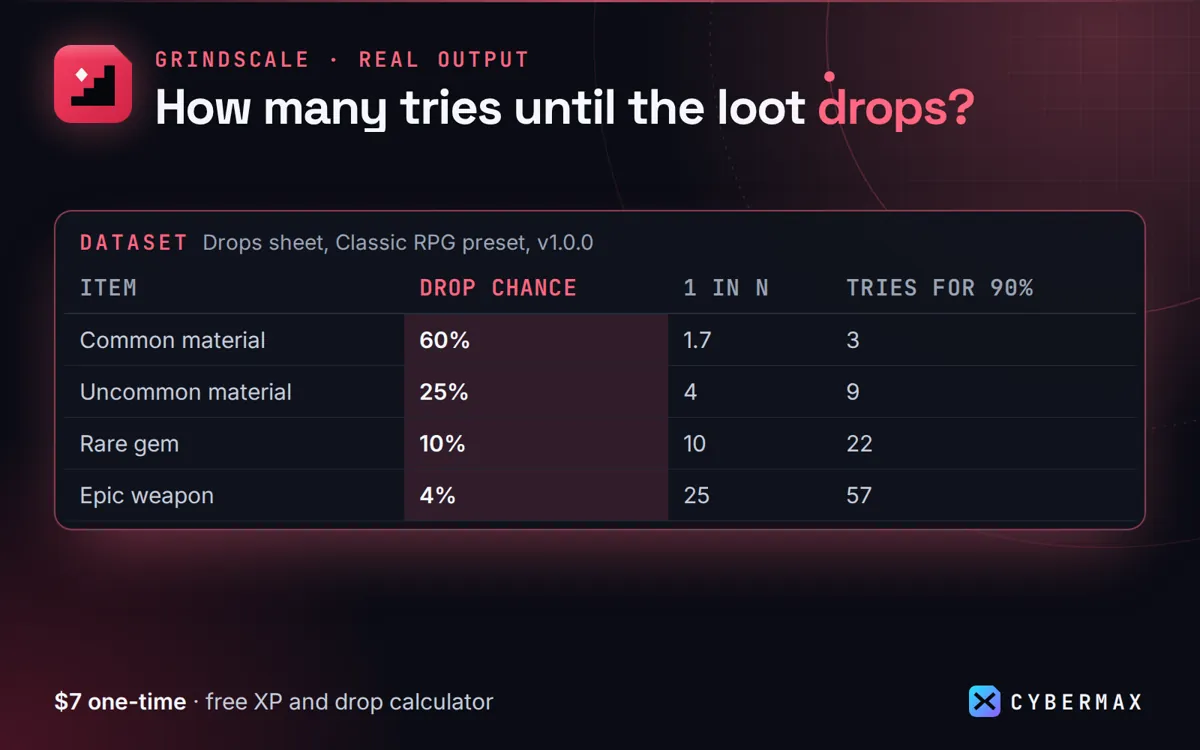
Drops sheet, Classic RPG preset (Grindscale 1.0.0)
| Item | Drop chance | 1 in N | Tries for 90% | Pity at | Avg tries |
|---|---|---|---|---|---|
| Common material | 60% | 1.7 | 3 | none | 1.7 |
| Uncommon material | 25% | 4 | 9 | none | 4.0 |
| Rare gem | 10% | 10 | 22 | none | 10.0 |
| Epic weapon | 4% | 25 | 57 | 60 | 22.8 |
| Legendary mount | 1% | 100 | 230 | 200 | 86.6 |
Source: The Drops sheet of the Grindscale 1.0.0 workbook with the Classic RPG preset loaded, as published on the Grindscale store page.
FAQ
What does the Classroom Licence cover?
From the licence: "you may also give copies of the workbook to up to 40 students enrolled in one course you teach, for coursework only, per course run."
Does it need macros?
No. Standard functions only, so it opens safely on school computers and in Google Sheets.
Grindscale: full guide with prices and alternatives · All use cases · Store