Get shorts from every podcast episode without an editor
Paste your podcast RSS feed or an Apple Podcasts link, pick the episode, and Clipwhit finds the moments worth posting and renders them with burned-in captions.
How media and podcasting teams use Clipwhit
- Paste your RSS feed or Apple Podcasts link and pick an episode (or drop the video file).
- Review the suggested moments, ranked by hook strength.
- Choose a caption style; Pro adds your brand colours, font and handle.
- Download MP4s with SRT, titles, descriptions and hashtags for each clip.
Video episodes are cropped to 9:16 around the speaker's face; audio-only episodes become audiograms with the show artwork and a waveform.
The free Hook Finder at clipwhit.cybermaxtools.com/hooks/ finds clip moments from a captions file without rendering video.
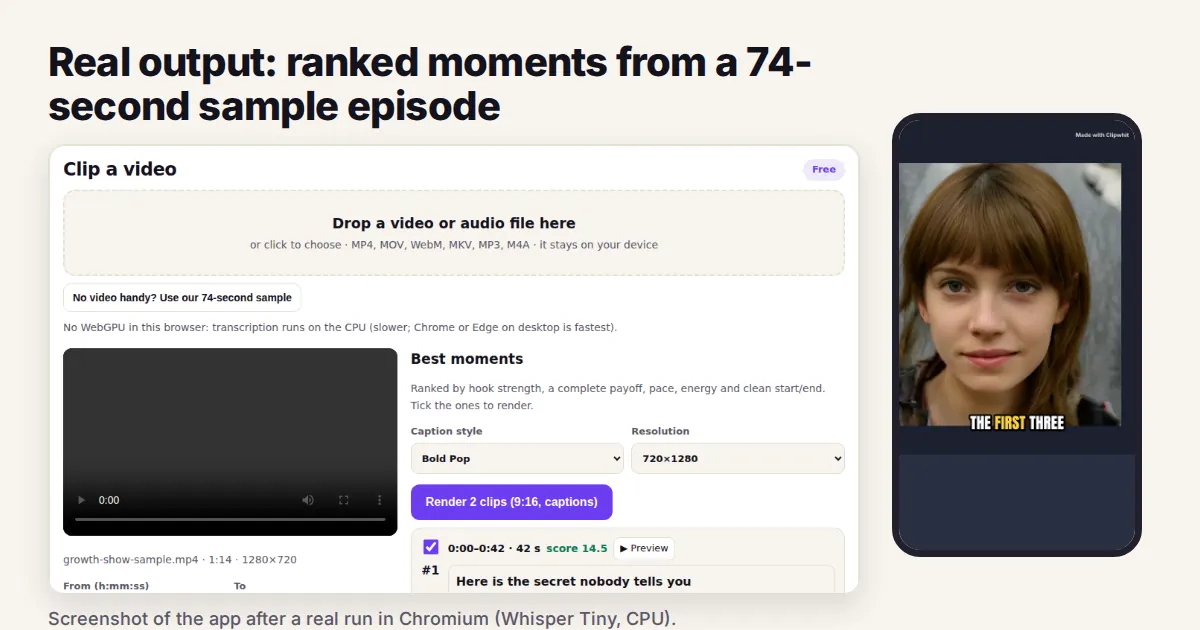
Measured run in a headless browser on a 4-vCPU machine, CPU only, Whisper Tiny.en
| Test | Result |
|---|---|
| 74 s sample episode | transcript + 2 moments in 48 s, including the first model download |
| Rendering (free, 720x1280) | 2 clips of 32.5 s and 24.3 s in 63 s; face found in every checked frame |
| Output | H.264 + AAC MP4s, SRT and TXT, ZIP of 6 files |
| 60-minute file (Pro) | transcription 23.4 min; 5 clips of 35-40 s rendered in 159 s total |
| Pro 1080x1920, Karaoke captions, no mark | 2 clips in 126 s |
Source: Clipwhit test results, 29 Sep 2026 (products/clipwhit/README.md, tests/e2e.mjs). The 74 s sample is synthetic speech with a generated face.
FAQ
Do you store my episodes?
No. The file is processed in your browser and never uploaded to us.
How long does an hour-long episode take?
About 25 minutes on a CPU-only computer in our test; server-based clippers are faster on long episodes.
Clipwhit: full guide with prices and alternatives · All use cases · Store