Marketplace sellers: know your profit per order after fees and shipping
Marketplace fees stack up: a sale fee, a payment fee, a fixed fee per order and listing fees. Marginmoor applies your real rates to every order, so a product that looks like a best-seller can be seen to make little after fees and labels.
How ecommerce teams use Marginmoor
- Enter each marketplace's current fee rates on the Channels tab (check them on the platform's fee page).
- Paste each month's orders: date, channel, product, quantity, price, shipping charged and label cost.
- Review the top 5 products and profit by channel on the Dashboard.
- Use the Price Calculator to reprice items that fall under your target margin.
In the example shop, the own website kept a 56% margin against 49% on Marketplace A, which is the kind of gap that justifies sending repeat buyers to your own site.
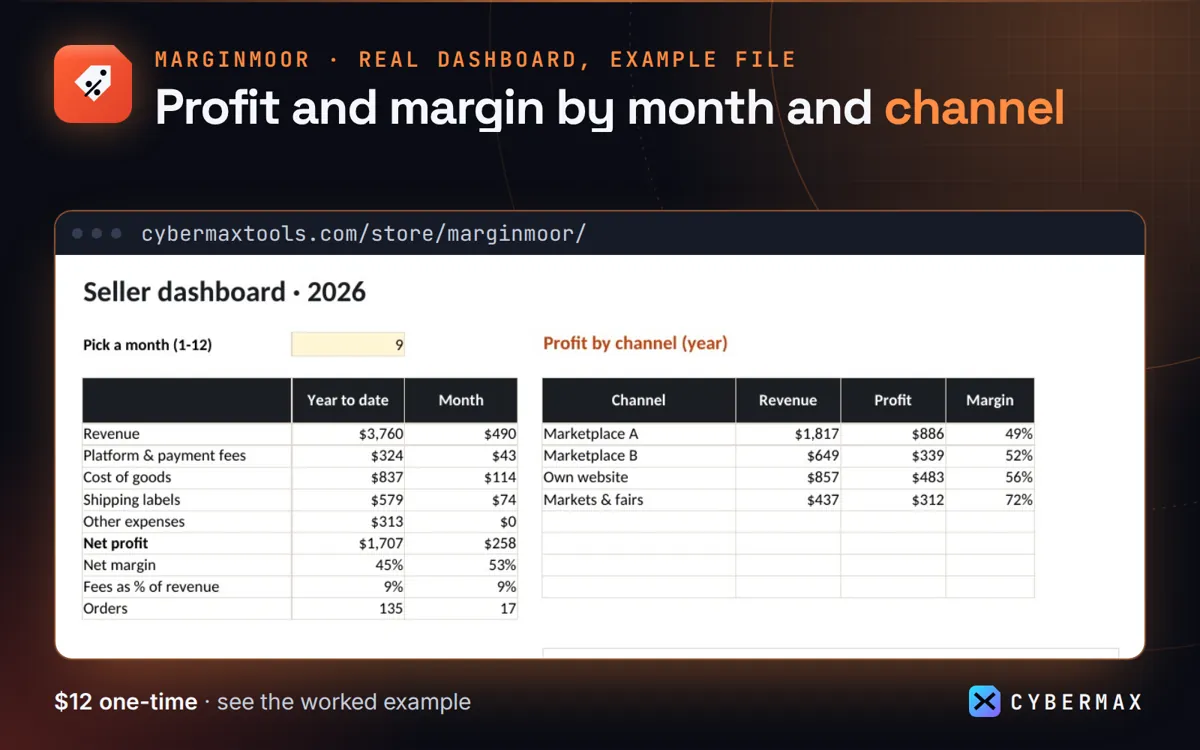
Example file: 135 made-up orders, Jan-Sep 2026, profit by channel
| Channel | Revenue | Profit | Margin |
|---|---|---|---|
| Marketplace A | $1,817 | $886 | 49% |
| Marketplace B | $649 | $339 | 52% |
| Own website | $857 | $483 | 56% |
| Markets & fairs | $437 | $312 | 72% |
Source: The made-up example shop in the Marginmoor example file, Dashboard profit by channel (built by products/marginmoor/src/workbook.py; rows in products/marginmoor/store/listing.json).
FAQ
What if a marketplace changes its fees?
Update the rate on Channels; new orders use it. Keep a dated note if you want old orders on the old rate.
Why not a paid seller app?
Apps sync orders automatically but charge monthly. Marginmoor is a one-time $12 file for sellers happy to paste a monthly export.
Marginmoor: full guide with prices and alternatives · All use cases · Store