Makers: compare fairs, your shop and online channels on true profit
A fair has a table fee and no platform cut; a marketplace has fees but no table. Marginmoor lets you set each one up as a channel and compare them on profit, not on sales.
How retail teams use Marginmoor
- Set up each outlet as a channel: fairs and markets with 0% fees, card readers with their payment %.
- Record table and booth fees on Expenses so they reduce profit.
- Log each sale or each day's sales per product after the event.
- Compare channels on the Dashboard before booking the next season's fairs.
In the example file, Markets & fairs had the lowest revenue ($437) but the highest margin (72%).
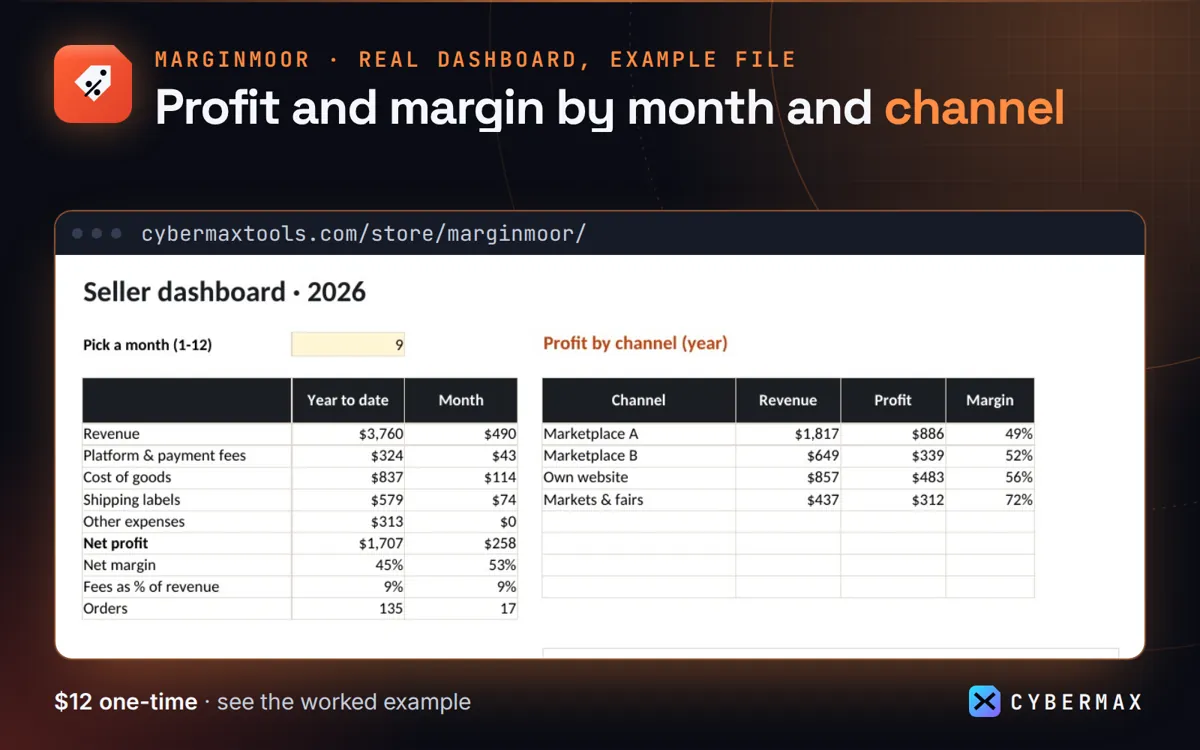
Example file: 135 made-up orders, Jan-Sep 2026, profit by channel
| Channel | Revenue | Profit | Margin |
|---|---|---|---|
| Marketplace A | $1,817 | $886 | 49% |
| Marketplace B | $649 | $339 | 52% |
| Own website | $857 | $483 | 56% |
| Markets & fairs | $437 | $312 | 72% |
Source: The made-up example shop in the Marginmoor example file, Dashboard profit by channel (built by products/marginmoor/src/workbook.py; rows in products/marginmoor/store/listing.json).
FAQ
Does it track stock levels?
It tracks units sold and profit per product, not stock on hand.
Why not a notebook and a calculator?
A notebook can't work out fees per order or show margin by channel; the sheet does it as you type.
Marginmoor: full guide with prices and alternatives · All use cases · Store