Give a class ready game art and sound for AI-made games
When students build games with AI tools, art is the slowest part. Propwren gives everyone the same original, upload-ready set.
How education teams use Propwren
- Pick a genre and the matching folders (monsters, items, a background scene, sounds).
- Students upload the files to the AI game maker and use the prompts in HOW-TO-UPLOAD.md.
- Check the tool's terms: do not upload where the tool hands uploads to others as files.
- Share finished games by link or in the tool's gallery.
One purchase covers a team working on the same projects; check the licence for how your class is set up.
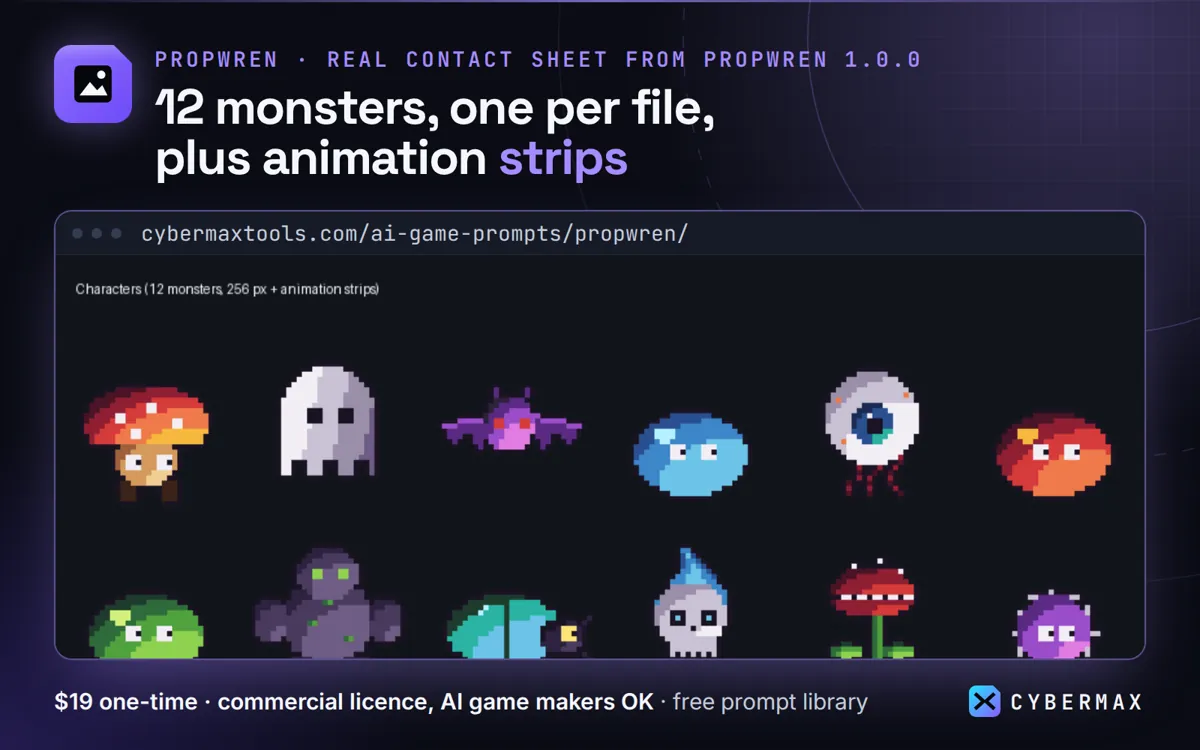
Inside Propwren Creator Asset Pack 1.0.0
| Folder | What | Count | Size |
|---|---|---|---|
| characters/ | monsters, 256 px + animation strips | 12 + 60 strips | 0.10 MB |
| items/ | RPG item icons, 256 px | 393 | 0.42 MB |
| backgrounds/ | 1920x1080 scenes + parallax layers | 4 + 20 | 0.28 MB |
| vfx/ | effects + frame strips | 48 + 48 | 0.22 MB |
| ui/ | buttons, panels, bars, slots, icons | 202 | 0.92 MB |
| audio/ | SFX, loops, stingers (OGG) | 120 + 24 + 24 | 12.20 MB |
| Whole download | 1,025 files | 853 PNG + 168 OGG | 14.2 MB zip |
Source: Propwren Creator Asset Pack 1.0.0 README and the download's file list, counted 10 Oct 2026.
FAQ
Is the art safe to use in school projects?
All files are original CyberMax work with no third-party material.
Can students publish their games?
Yes, as long as the assets appear as part of a game and are not offered as separate downloads.
Propwren: full guide with prices and alternatives · All use cases · Store