Lighter images for every blog post
Screenshots and photos are often the heaviest part of a post. Convert them to modern formats in one batch and keep the originals if a version would be bigger.
How web publishing teams use Shrinkmoor
- Drop the post's images into Shrinkmoor.
- Pick WebP or AVIF and a maximum width for your content column.
- Download the ZIP and use the files in your CMS.
On our 1440x1000 screenshot, WebP saved 74% and AVIF 76% at quality 75.
Metadata such as camera details and GPS is dropped, with the photo's rotation applied first.
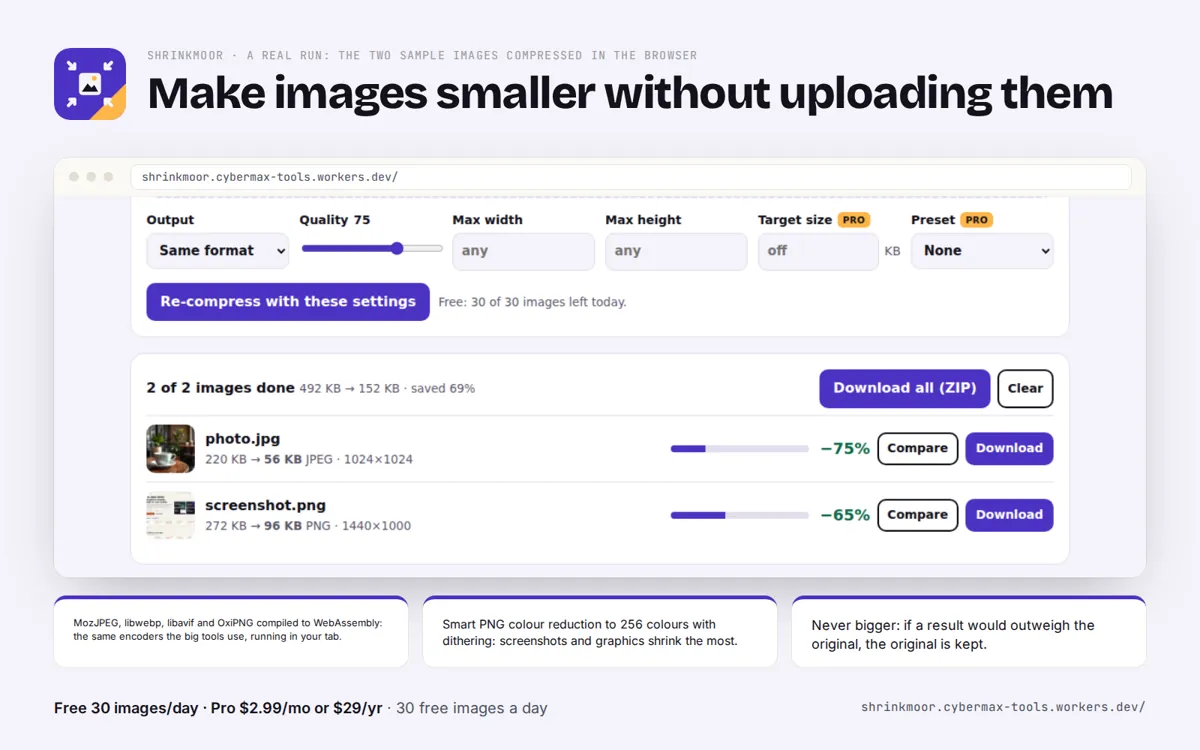
Measured on the live app's two samples at quality 75
| Sample | Original | MozJPEG | WebP | AVIF |
|---|---|---|---|---|
| photo.jpg (1024x1024 photo, JPEG q95) | 225 KB | 57 KB (-75%) | 34 KB (-85%) | 24 KB (-89%) |
| screenshot.png (1440x1000 store screenshot) | 278 KB | 98 KB (-65%) | 74 KB (-74%) | 66 KB (-76%) |
Source: Shrinkmoor measured results, 1 Oct 2026, Chromium (products/shrinkmoor/README.md "Measured"; e2e tests/e2e.mjs). The sample photo is AI-made.
FAQ
Does it keep transparency in PNGs?
Yes, the colour reduction keeps transparency.
Is there a WordPress plugin?
No. Shrinkmoor is a browser app; compress before you upload.
Shrinkmoor: full guide with prices and alternatives · All use cases · Store